
Appearance
Shopify Integration
Connecting your Shopify store turns creator clicks into attributed revenue. InfluTrace uses a custom pixel you paste into Shopify's Customer Events — there's no app to install and no App Store approval to wait on. Once it's live, InfluTrace automatically records add‑to‑carts and orders and credits them to the right creator.
Admins only
Connecting, verifying, and disconnecting integrations require an Admin role. Members can see connected stores but can't change them. See Roles & Permissions.
Before you start
- You'll need Admin access to both InfluTrace and your Shopify admin.
- Setup takes about two minutes and is done once per store.
Step 1 — Get your pixel from InfluTrace
- In InfluTrace, open Integrations → Add integration → Shopify.
- Enter your store domain — just the
my-storepart ofmy-store.myshopify.com— and click Get pixel. - The store appears on the Integrations page as Pending. Open its Set up panel and click Copy snippet — you'll paste this into Shopify next.
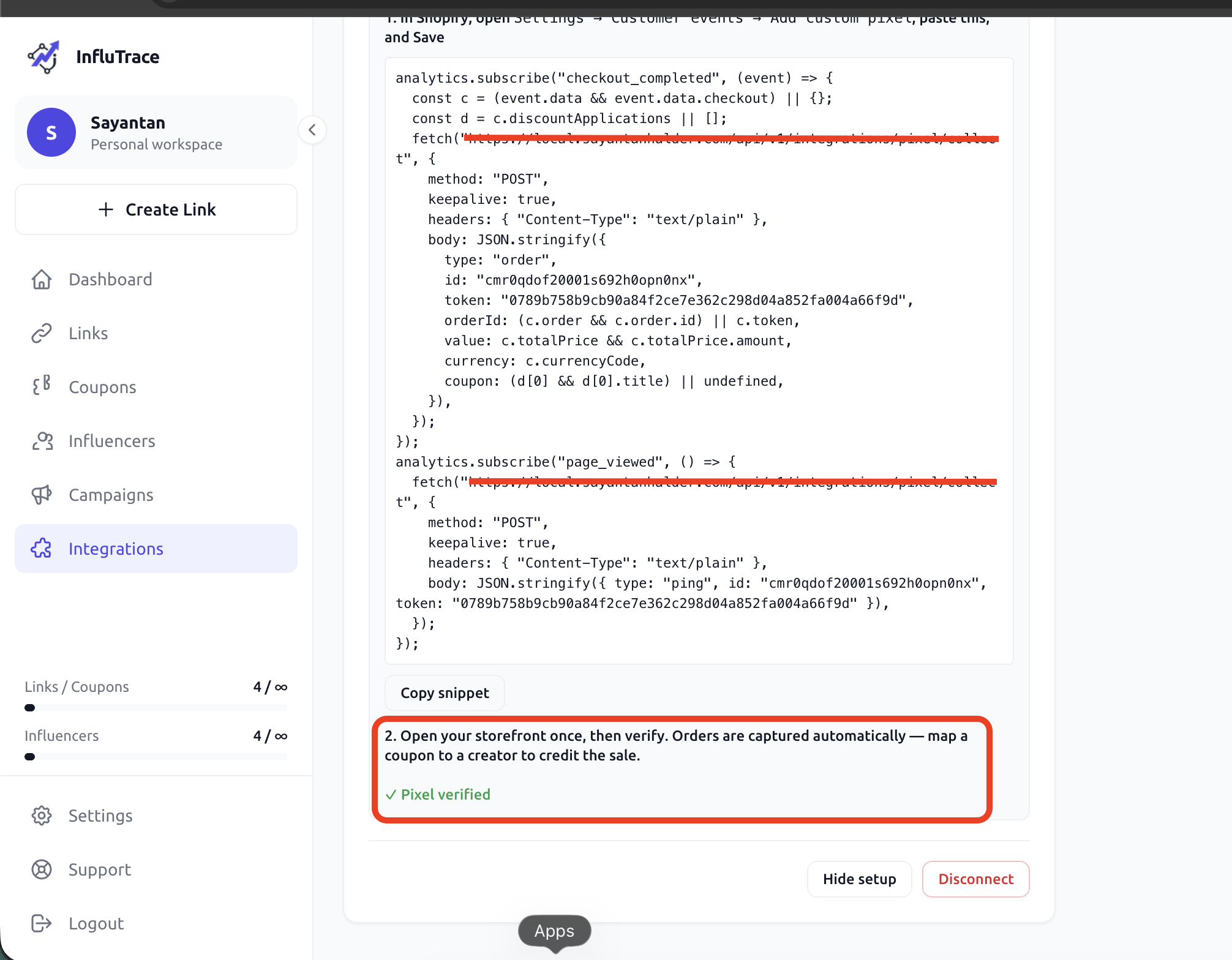
Keep this tab open; you'll come back here to verify at the end.
Step 2 — Open Customer events in Shopify
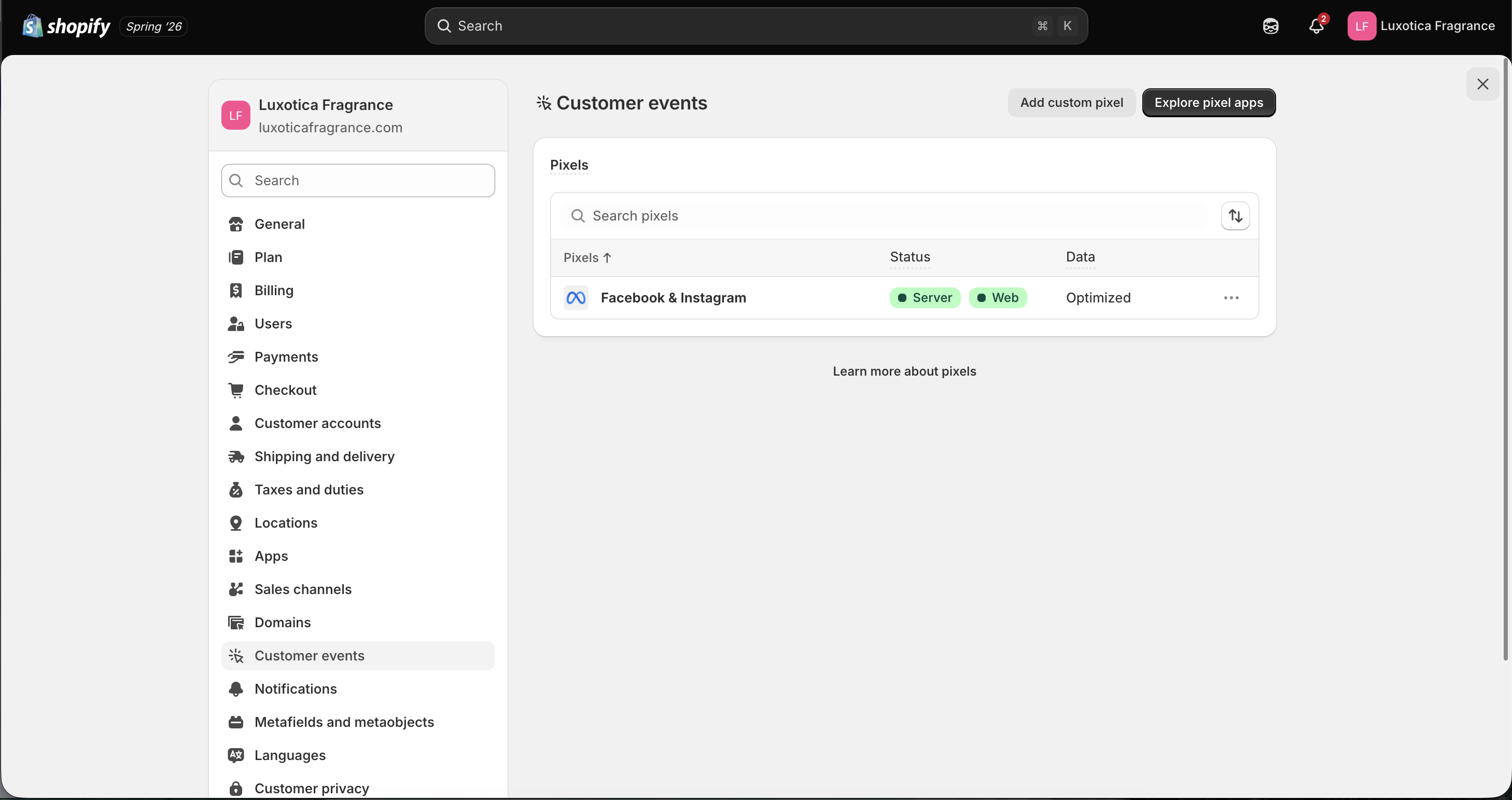
In your Shopify admin, go to Settings → Customer events, then click Add custom pixel (top‑right).
Step 3 — Name the pixel
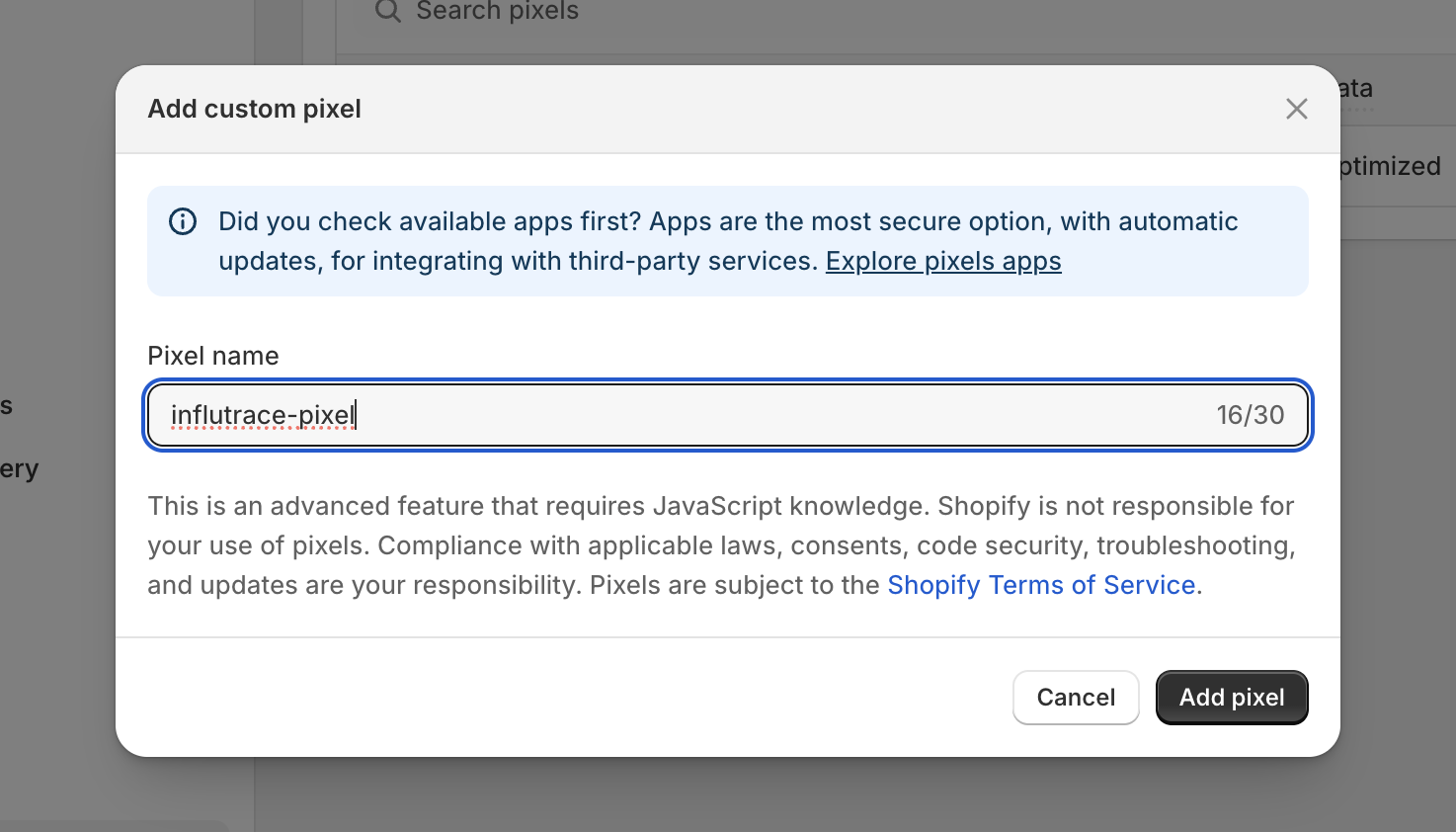
Give it a recognisable name — for example influtrace-pixel — and click Add pixel.
Step 4 — Paste the snippet and save
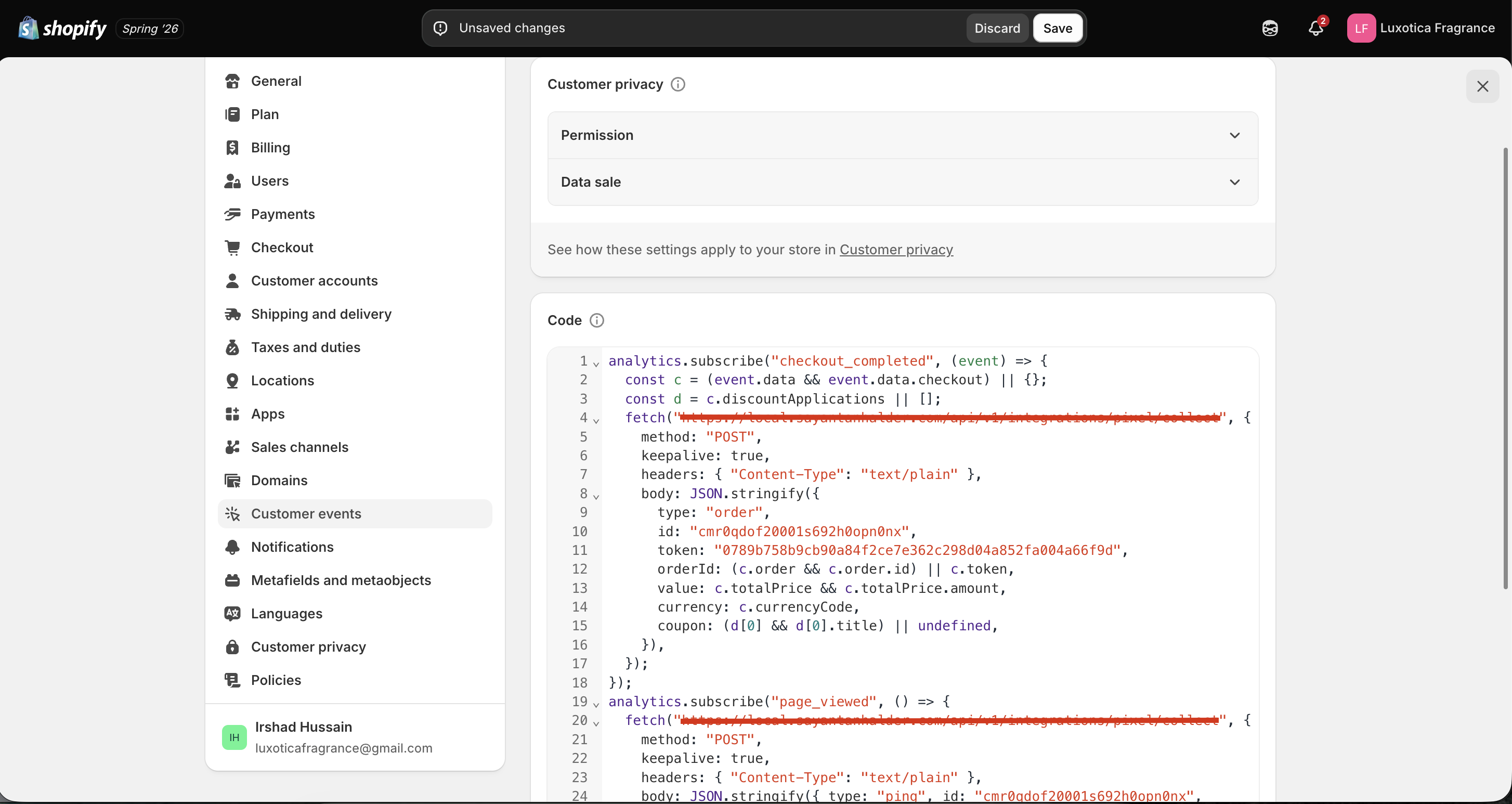
In the Code box, paste the snippet you copied from InfluTrace in Step 1, then click Save.
Customer privacy settings
You don't need to change the Permission / Data sale settings for tracking to work — leave them as they are.
Step 5 — Connect the pixel
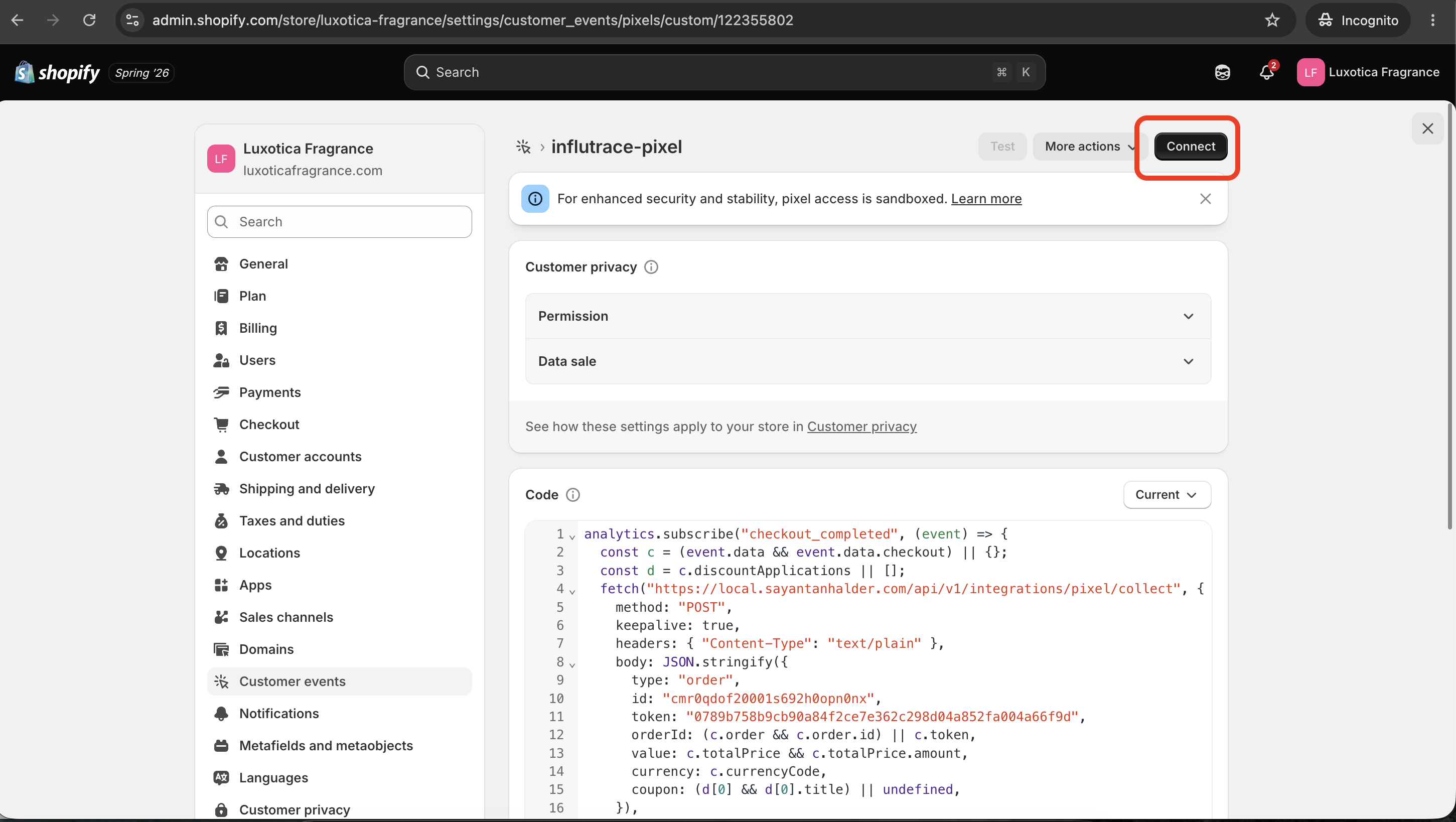
Saving isn't enough on its own — click Connect (top‑right) to make the pixel live. The pixel runs in Shopify's secure sandbox once connected.
Step 6 — Verify in InfluTrace
Open your storefront once (any page) so the pixel fires, then return to the InfluTrace Integrations page and click Verify pixel on the store's card. It flips to a green ✓ Pixel verified and the store shows Connected.
That's the whole setup — orders and add‑to‑carts now sync automatically, with nothing else to configure on Shopify's side.
How attribution works
InfluTrace can credit a sale to a creator two ways — use either, or both:
- Affiliate tracking links. When a shopper arrives from a creator's tracking link, the pixel captures the link on the landing page and reattaches it at checkout, crediting that creator — no coupon required. Make sure the store is ticked on the link (see Tracking Links).
- Coupon codes. Map a coupon to a creator (see Coupons); when a shopper checks out with that code, the sale is credited to them. This is the most reliable signal because it rides along on the order itself.
If both are present, the coupon wins. See How Attribution Works.
An order with neither a tracking link nor a mapped coupon is still recorded as store revenue — it just can't be tied to a specific creator.
What's tracked (and the limits)
The pixel is a client‑side tag (like Google Analytics or the Meta Pixel):
- Add to cart — counted when a shopper reaches checkout.
- Orders & revenue — captured on the Thank‑you page, de‑duplicated by order id so a reload never double‑counts.
- Refunds and cancellations aren't synced — only completed checkouts.
- Capture is best‑effort: ad blockers, or a shopper closing the tab before the Thank‑you page, can miss the occasional order.
Troubleshooting
If sales aren't showing up, check these in order:
- Is the pixel connected? In Shopify, Settings → Customer events → your pixel should be present and Connected (Step 5). In InfluTrace, load your storefront once and click Verify pixel again.
- Is the integration enabled on the link? A link with no integration records clicks only. Edit the link and tick your store.
- Was the order attributable? An order with no tracking link and no mapped coupon is recorded as revenue but can't be credited. The coupon path is the most reliable way to attribute.
Managing multiple stores
You can connect more than one store, including several Shopify stores. Each connection is its own card on the Integrations page, and each link chooses which connected store(s) it tracks.
Other providers (WooCommerce, Magento, Custom) appear in the library — the Custom pixel works the same way for any non‑Shopify website.
Disconnecting
Click Disconnect on a store's card in InfluTrace (admins only) to stop crediting its orders. To fully stop the pixel, also remove the custom pixel from Settings → Customer events in your Shopify admin.